AI 자동 초점 인물 사진
전문 DSLR 광학으로 모든 사진을 업그레이드하세요. 신경 엔진이 피사체를 완벽하게 분리하고 브라우저 내에서 완전히 실감나고 조정 가능한 영화적인 렌즈 블러를 렌더링합니다.
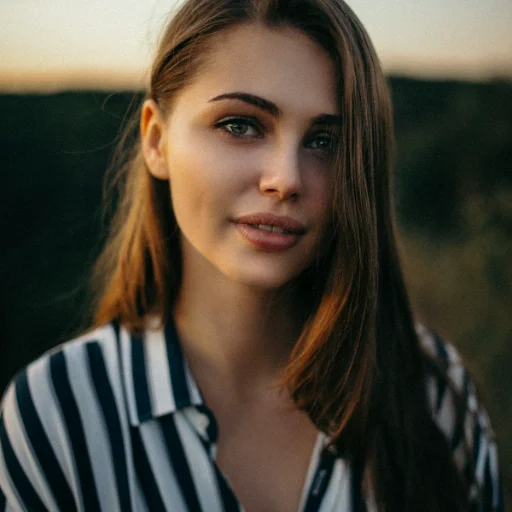

처음 사용할 때 브라우저가 AI 모델(약 100MB, 이후 캐시됨)을 내려받습니다. 모바일 데이터라면 Wi-Fi 사용을 권장합니다.
개인 정보 보호 우선 AI 작동 방식
1제로 서버 비용
이미지를 값비싼 클라우드 서버로 보내지 않습니다. 대신, WebAssembly를 사용하여 미세한 신경 엔진을 캐시 메모리에 직접 다운로드합니다.
2피사체 세분화
로컬 AI가 그래픽 카드의 픽셀을 수학적으로 스캔하고 전경 피사체를 환경과 완벽하게 분리합니다.
3렌즈 깊이 물리학
f/1.2 DSLR 렌즈 프로파일에 매핑된 Heavy Gaussian 알고리즘을 통해 배경 플레이트를 처리하고, 피사체를 완전히 선명하게 위에 배치합니다.
What Even Is Bokeh?
You know that blurry background look in iPhone portraits? That's bokeh. The word comes from the Japanese boke (blur or haze), and it refers to the quality of the out-of-focus areas in a photo, not just that they're blurry, but how they're blurry. Good bokeh turns background lights into soft, creamy circles. Bad bokeh makes everything look like smeared vaseline. Big difference.
How Cameras Actually Do This
On a real DSLR, this effect happens naturally when you shoot with a wide-open aperture (something like f/1.4 or f/2). The physics of the lens literally can't keep both the subject and background in focus at the same time. Smartphones fake it, newer ones use dual cameras or depth sensors to guess where the subject ends and the background begins, then blur the rest in software. We do something similar, except our AI model runs right in your browser using WebAssembly. No uploads, no servers, no waiting around.
It's Not Just for Faces
Despite the name "portrait mode," this works on way more than headshots. We see people using it for product photos (blurring out a messy desk behind a product), food shots (making that ramen pop against a blurred restaurant background), pet photos, and even real estate detail shots. Basically, any time your subject is fighting a busy background for attention, a little blur goes a long way.
The Privacy Thing
Uploading your selfies to a random server understandably feels uncomfortable, and it should. Most AI photo tools ship your images off to some cloud server, process them there, and send them back. Your photos, personal shots, client work, whatever, are sitting on infrastructure you know nothing about. Maybe they delete them. Maybe they don't. You just have to trust their privacy policy.
We didn't want to build it that way. Our AI model downloads once to your browser cache (it's a WebAssembly file), and from that point on, everything runs locally, on your CPU or GPU. Your photos literally never leave your device. No upload, no server round-trip, no data collection. Period.
Cloud AI Tools
- ❌Your photos get uploaded to their servers
- ❌Stored temporarily... or who knows
- ❌Slow on bad connections
- ❌Privacy policies you never read
- ❌Usually need an account + payment
ImageFixr (On-Device)
- ✅AI runs in your browser, not ours
- ✅Photos stay on your machine. Full stop.
- ✅Works fine on slow wifi
- ✅We literally can't see your photos
- ✅Free, no signup, no strings
Frequently Asked Questions
How does the AI background blur work?
Short version: a neural network runs right in your browser (via WebAssembly), figures out what's the subject and what's the background, then applies a Gaussian blur to just the background. It's modeled after the depth-of-field you'd get from a wide-aperture DSLR lens. Nothing gets uploaded anywhere.
What kinds of photos work best?
Anything where the subject is reasonably distinct from the background. Portraits, pet photos, product shots on a table, all great. Fair warning though: if you're wearing a white shirt against a white wall, the AI will have a harder time figuring out where you end and the wall begins. More contrast = better results.
Is this as good as a real DSLR?
For Instagram, LinkedIn, or a portfolio, you won't notice a difference. A real lens does produce unique optical characteristics (the way it renders light highlights, for instance) that software can't perfectly copy. But at normal viewing sizes, especially on a phone screen, the result is very close.
Why is the first photo slow?
That first run is downloading the AI model into your browser cache, usually takes 10-20 seconds depending on your connection. After that, everything in the same session is much faster since the model is already loaded locally.
Can I control how blurry the background gets?
Absolutely. Once the AI does its thing, you get a blur radius slider. Drag it low for a subtle, natural look. Crank it up for that dramatic, everything-is-melted-away effect. Play around with it. There's no wrong answer.