Suppresseur d'arrière-plan IA gratuit
Supprimez instantanément les arrière-plans des images, portraits et photos de produits. Remplacez les arrière-plans par des couleurs unies, des dégradés ou des images personnalisées. Complètement gratuit et sécurisé.
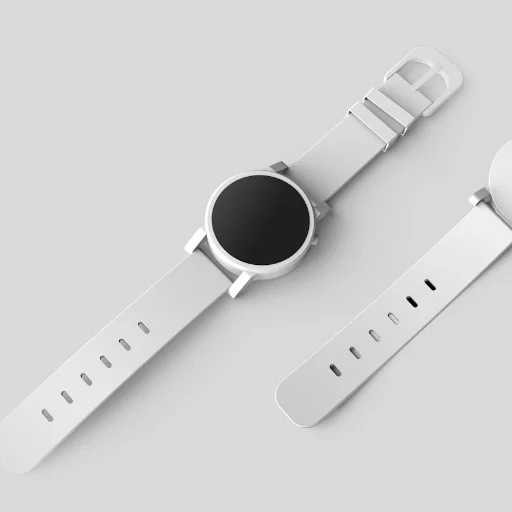
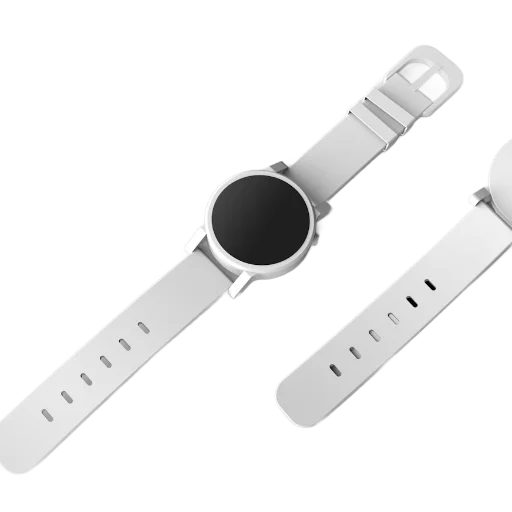
Lors de la première utilisation, votre navigateur télécharge le modèle IA (environ 100 Mo, mis en cache ensuite). Sur les données mobiles, préférez le Wi-Fi.
Comment supprimer gratuitement les arrière-plans des images
La suppression de l'arrière-plan d'une image nécessitait auparavant des logiciels coûteux. Avec ImageFixr, vous pouvez créer un PNG transparent parfait en quelques secondes, totalement gratuitement.
- Téléchargez votre image : Sélectionnez n'importe quelle photo contenant un sujet clair (personne, animal, voiture, produit).
- Magie de l'IA : Notre moteur neuronal hébergé localement isole automatiquement le sujet sans le télécharger.
- Personnaliser : Conservez la transparence, ajoutez une couleur unie, appliquez un dégradé ou téléchargez un tout nouvel arrière-plan.
- Télécharger : Exportez instantanément votre nouveau composite haute résolution.
Pourquoi utiliser notre effaceur d'arrière-plan gratuit
Les places de marché comme Amazon et Shopify attendent des photos de produits sur fond blanc uni, et vous y arrivez sans boîte à lumière
Pratique pour les miniatures YouTube, les publications Instagram et les photos de profil où le sujet doit être placé sur un autre fond
Vos photos ne sont jamais envoyées. Le modèle s'exécute dans votre navigateur via WebAssembly, nous ne recevons donc jamais le fichier
Téléchargements HD illimités, sans compte, sans crédits et sans filigrane
Les détails fins comme les mèches de cheveux sont difficiles pour tout détourage automatique, y compris celui-ci. Des sujets simples et bien éclairés donnent les contours les plus nets
What Can You Do With a Transparent Background?
Nobody removes a background just to stare at a transparent checkerboard. It's what you do next that matters. Here are some of the most common things people use background-free PNGs for, and a few you might not have thought of.
Selling Stuff Online
Most marketplaces want product photos on a clean white background. Remove the background, drop in white, and you've got listing-ready images without renting a photo studio. This is probably the single most common reason people use this tool.
YouTube Thumbnails That Actually Get Clicks
There's a reason every big creator uses cutout photos on colorful backgrounds. They pop. Cut yourself out of a photo, slap a gradient behind you, add some text. It's the YouTube thumbnail formula, and it works.
Logos Without the White Box
We've all seen it: someone drops their logo on a website and there's a white rectangle around it. Transparent PNGs fix that. If you have a logo scan or screenshot, run it through here and you'll never have the white box problem again.
Photo Compositing
Want to put your family on a beach they've never visited? Combine product shots into a collage for a campaign? Background removal is step one for basically all composite work, whether you're in Photoshop, Canva, or anything else.
Profile Pictures
A clean headshot without a messy background looks better everywhere, LinkedIn, Slack, Zoom, you name it. Works on light themes, dark themes, whatever. Just remove the background and you're good.
Print-on-Demand Designs
If you're designing merch (t-shirts, mugs, phone cases), you need transparent PNGs. That's just how print-on-demand works. The design sits on the product, not a white square on the product.
Why We Don't Upload Your Photos
We got tired of uploading personal photos to random servers. Every other background remover out there sends your images to their cloud, processes them on hardware you can't see, and pinky-promises to delete them afterward. Maybe they do. Maybe they don't. We didn't love that tradeoff.
So we built something different. The AI model gets compiled to WebAssembly and runs right in your browser. It downloads once, caches locally, and after that everything happens on your machine. Your photos never leave your browser. Period. We literally couldn't see them even if we wanted to.
What's Actually Happening Under the Hood
The neural network looks at every pixel in your image and decides: is this the subject, or is this background? That decision creates a mask. Background pixels get their transparency cranked to zero, and you're left with a full-resolution PNG of just the subject. It's the same approach the big commercial tools use. We just do it locally.
What Works (and What Doesn't)
- Clear contrast between subject and background? You'll get a great result. A person in front of a wall, a product on a table, those are easy wins.
- Wispy hair, fur, or really fine edges are the hardest. The AI does its best, but don't expect pixel-perfect cuts around flyaway strands.
- Bigger photos give sharper edges. If you're starting from a tiny thumbnail, the result won't be as clean.
- Good lighting matters more than you'd think. Even, diffused light beats harsh shadows every time.
Frequently Asked Questions
How does this actually work?
Short version: a neural network runs in your browser (not on our servers), looks at every pixel, and decides what's "subject" and what's "background." Background gets made transparent, you get a clean PNG. Your photos never leave your device.
Why PNG? Can I get a JPG instead?
JPEG doesn't support transparency. There's no way around that. So the output is always PNG. If you need a JPEG for some reason, just open the PNG in any editor and export it with a white background. But for most uses (design tools, product listings, overlays), transparent PNG is what you want.
It's taking forever on my first image, is it broken?
That's completely normal. The first time, your browser downloads the AI model (usually 10-20 seconds, depending on your connection). After that it's cached, so every image after the first processes much faster.
I need to remove the background from a product photo, not a person. Does that work?
It works well for most products, animals, and cars, anything with a clear outline against a reasonably distinct background. It's a common question, and product photos are probably the single most popular use for this tool.
Can I swap in a different background color?
Yes. Once the background is gone, you can keep the transparency, fill it with a solid color (white is popular for product listings), or add a gradient. Those options appear right after processing finishes.